Sunny Lake Procreate Color Palette Guide
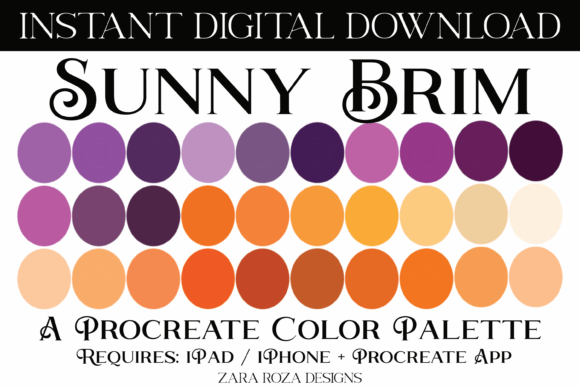
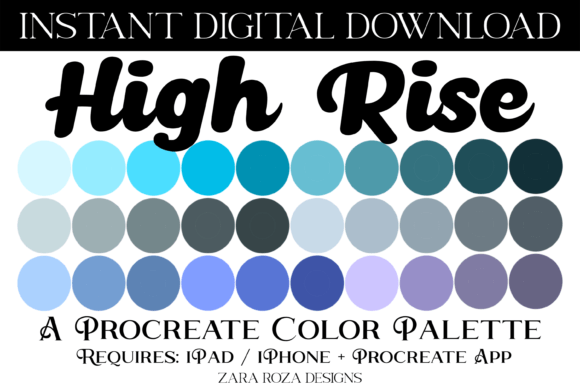
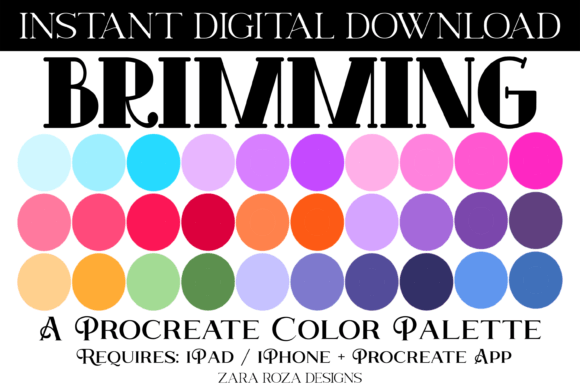
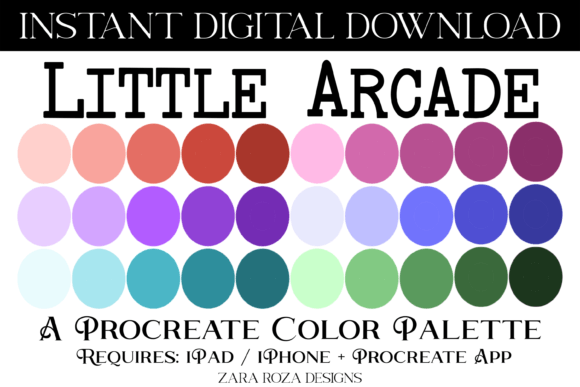
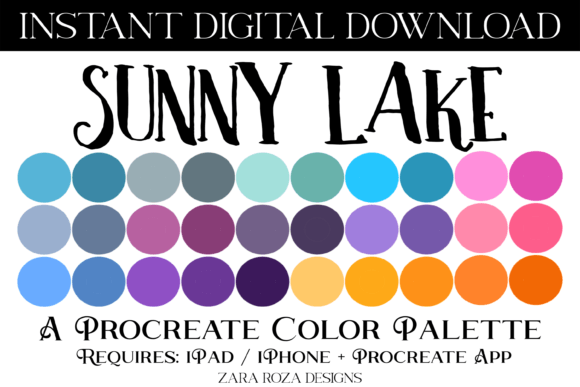
Digital art thrives on the harmony of hues, and finding a cohesive set of colors can often be the most time-consuming part of the creative process. The Sunny Lake Procreate Color Palette offers a curated collection designed to bring vibrancy and balance to your digital illustrations. This specific palette includes 30 distinct swatches ranging from soft pastels to deep, grounding tones. It features a spectrum of greens, teals, turquoises, grays, pinks, purples, blues, yellows, and oranges, arranged in ombre sequences that make gradient work intuitive. Whether you are sketching a quick concept or finalizing a complex illustration, having these colors pre-loaded into your workflow saves valuable time.
What Makes This Palette Unique?
The Sunny Lake Procreate Color Palette is not just a random assortment of colors; it is a structured tool built for versatility. The inclusion of both bright and dark shades within the same tonal families allows artists to create depth without leaving their color picker. The gradient capabilities inherent in the swatch order support smooth transitions, which are essential for realistic shading or dreamy, atmospheric backgrounds. With 30 swatches contained in a single .swatches file, the palette is compact yet comprehensive enough to handle various artistic styles.
This resource is an instant digital download, meaning there is no physical product to wait for. Once purchased, the file is ready to be imported directly into the Procreate app on your iPad, iPhone, or iPad Pro. The design philosophy behind the palette balances the freshness of light tones with the stability of darker accents, making it suitable for everything from delicate hand lettering to bold poster designs.
For Beginners: Building Confidence and Skill
For those new to digital art, the learning curve can feel steep, particularly when deciding which colors work well together. The Sunny Lake Procreate Color Palette serves as a reliable guide for beginners who want to focus on technique rather than color theory. By providing a pre-matched scheme, it removes the anxiety of "color blocking" where mismatched hues ruin a composition. A beginner using this palette can experiment with blending modes and brush opacity knowing that the underlying colors will remain harmonious.
Beginners often struggle with creating gradients that look natural. Since this palette includes ombre tones, users can practice creating smooth fades between teal and turquoise or pink and purple without manually calculating intermediate shades. This practical application helps build muscle memory and confidence. Furthermore, the ease of importing the file—simply pressing the .swatches file to trigger the import in Procreate—makes the technical barrier low, allowing new users to start drawing immediately.
For Professionals: Efficiency and Consistency
Professional illustrators and designers operate under tight deadlines where efficiency is paramount. For this audience, the Sunny Lake Procreate Color Palette is less about learning and more about streamlining the production pipeline. Having a consistent color library ensures that branding remains uniform across different projects, such as social media graphics, client illustrations, or marketing materials. The ability to access 30 versatile swatches instantly means less time spent picking hex codes and more time refining the artwork.
Professionals might also appreciate the flexibility of the palette for commercial use. The mix of festive tones like bright reds and greens alongside neutral grays makes it adaptable for seasonal campaigns. A designer working on holiday cards for Christmas, Halloween, or Valentine's Day can quickly pull from the relevant sections of the palette to match the occasion without starting from scratch. The reliability of a dedicated .swatches file ensures that the exact same colors are used every time, maintaining quality control across multiple devices or team members.
For Educators and Hobbyists: Inspiration and Exploration
Educators teaching digital art classes can utilize the Sunny Lake Procreate Color Palette as a teaching aid. It demonstrates how limited palettes can still produce rich, varied results. Students can be tasked with creating specific scenes—like a wedding invitation or a baby shower card—using only the provided swatches. This constraint encourages creativity within boundaries, a fundamental skill in design. The variety of tones supports diverse lesson plans, from landscape painting to character design.
Hobbyists, on the other hand, may value the aesthetic appeal and the joy of creation. For someone who enjoys digital scrapbooking or planning in apps like Goodnotes, Notability, or Noteshelf, this palette adds a personal touch to their digital journals. The pastel and bright options are perfect for highlighting important dates, decorating planner spreads, or creating custom stickers. The hobbyist user benefits from the "ready-to-go" nature of the file, turning a mundane planning session into a colorful, engaging activity.
Practical Applications Across Projects
The versatility of the Sunny Lake Procreate Color Palette extends beyond traditional illustration. Its range of colors supports a wide array of project types:
- Digital Planning and Organization: Use the gray and pastel tones for clean, readable layouts in digital planners. The brighter accent colors can highlight key events or tasks.
- Celebration Design: From bridal showers to birthday parties, the palette's mix of pinks, purples, and gold-like yellows fits celebratory themes perfectly. The darker tones add elegance to wedding invitations.
- Festive Holidays: The green, teal, and red-adjacent tones are ideal for Christmas and Thanksgiving projects, while the spooky orange and purple shades work well for Halloween designs.
- Printable Art: Artists can create posters or wall art using the gradient capabilities of the palette, ensuring high-quality prints that maintain color integrity.
- Hand Lettering: Calligraphers can use the ombre effects to create dynamic text pieces, adding visual interest to quotes or logos.
How to Import and Use the Palette
Getting the Sunny Lake Procreate Color Palette into your workflow is straightforward, but it requires the Procreate app installed on an iPad, iPad Pro, or compatible iPhone. The process relies on the iOS system handling the file transfer automatically.
- Download the .swatches file to your device. It will typically appear in your "Files" app under the Downloads folder.
- Navigate to the location of the downloaded file.
- Press firmly on the .swatches file. The system should recognize the file type and prompt you to open it with Procreate.
- Select "Procreate" if prompted. The app will launch automatically and display a message indicating that it is importing the palette.
- Once imported, the new palette will appear in your color drawer, ready for immediate use.
It is important to note that this file is exclusively compatible with the Procreate app. It will not function in other digital art software or non-iPad devices. Ensuring you have the latest version of Procreate installed is recommended for the best performance.
Evaluating Your Needs
Before deciding if the Sunny Lake Procreate Color Palette is right for you, consider your current workflow and goals. If you frequently find yourself stuck on color choices or need to speed up your design process, this tool offers significant value. For educators looking for structured resources or professionals needing brand consistency, the pre-matched nature of the swatches provides a solid foundation.
However, if you already have a vast library of custom palettes tailored to very niche requirements, you might evaluate whether this general-purpose palette adds enough new utility. That said, the inclusion of specific seasonal tones and the broad range of gradients make it a strong candidate for expanding any existing library. Ultimately, the decision comes down to whether you value the convenience of a curated, high-quality set of 30 swatches that can transform your digital art, planning, or design projects with minimal effort.