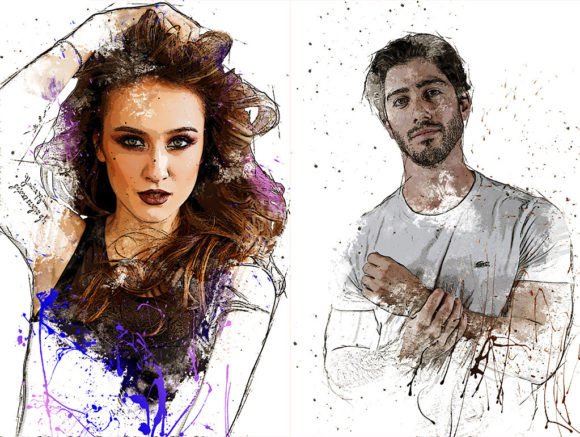
Evaluating the Stylish Art Photoshop Action for Digital Creatives
In the expansive ecosystem of digital art tools, the Stylish Art Photoshop Action stands as a specialized utility designed to streamline the creation of artistic effects within Adobe Photoshop. For photographers, graphic designers, and digital artists, such automation tools offer a bridge between raw imagery and stylized output. However, before integrating this specific action into a workflow, it is essential to understand its technical composition, operational requirements, and the specific scenarios where it delivers value versus where manual techniques might be superior.
Understanding the Core Components
The Stylish Art Photoshop Action is not merely a single script but a comprehensive package containing several distinct file types that work in unison. The primary component is the .ATN file, which houses the automated sequence of steps. This action is designed to be non-destructive, meaning it preserves the original image data by utilizing layers rather than permanently altering pixels. This approach allows users to revisit adjustments long after the initial application.
Beyond the action itself, the package includes an .ABR file containing custom brushes and a .PAT file with specific patterns. These assets are integral to achieving the intended aesthetic, as the action often relies on these textures to generate depth and style. Additionally, the inclusion of help files ensures that users can navigate the setup process effectively. The well-arranged layer structure within the action is a significant feature, providing clarity and control over individual elements of the final composition.
Technical Requirements and Compatibility
Before considering this tool, potential users must verify their software environment. The Stylish Art Photoshop Action is compatible with versions CS4, CS5, CS6, and CC. It is critical to note that this compatibility is strictly limited to the English version of Photoshop. Users operating localized versions of the software may encounter errors or failure to load the action due to language-specific scripting dependencies.
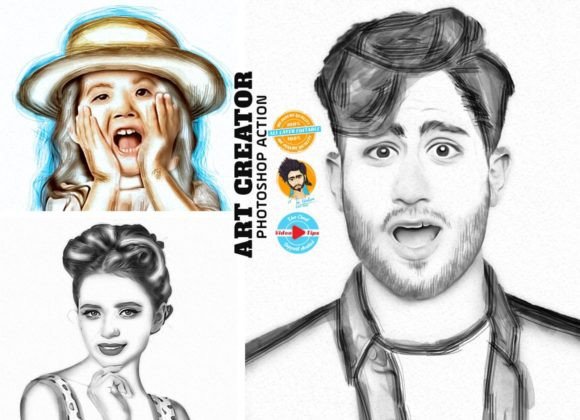
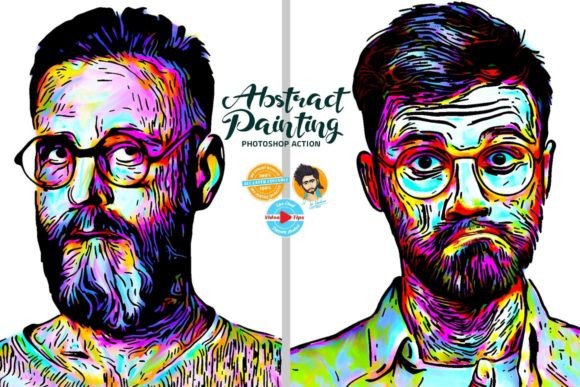
Image resolution plays a pivotal role in the quality of the output. For optimal results, source images should range from 1800 to 4000 pixels in width or height. Images significantly smaller than this range may result in pixelation or a loss of detail when the artistic filters are applied. Conversely, extremely high-resolution files beyond 4000 pixels may increase processing time without necessarily improving the visual fidelity of the effect. Users should also be aware that the images shown in preview galleries are for demonstration purposes only and are not included in the download.
Benefits of Non-Destructive Workflow
The most significant advantage of this action is its non-destructive nature. In professional workflows, the ability to adjust layers after the fact is invaluable. Because the layers are adjustable, users can modify opacity, blending modes, and layer masks to fine-tune the intensity of the effect. This flexibility distinguishes the Stylish Art Photoshop Action from simple one-click filters that bake changes directly onto the background layer.
Furthermore, the ease of use makes it accessible to those who may not possess advanced knowledge of complex masking or brush techniques. The well-organized layer stack reduces the cognitive load required to manage multiple elements, allowing creators to focus on artistic decisions rather than technical troubleshooting. The integration of custom brushes and patterns further expands the creative possibilities without requiring the user to create these assets from scratch.
Tradeoffs and Considerations
While the automation offers efficiency, there are tradeoffs to consider. The primary limitation is the reliance on the specific parameters set within the action. If a user requires a highly customized look that deviates significantly from the preset style, they may find themselves spending more time tweaking the layers than creating the effect manually. Additionally, the requirement for the English version of Photoshop excludes a segment of global users, which is a notable constraint for international teams.
Another consideration is the learning curve associated with configuration. Although the action is marketed as easy to use, it requires careful adherence to instructions. Users must ensure their files are configured correctly as outlined in the help files and video tutorials. Failure to follow these steps can lead to errors or unsatisfactory results. In such cases, support is available via email, but this adds a step to the problem-solving process that does not exist with native Photoshop features.
Situations Where the Action Excels
The Stylish Art Photoshop Action is a strong fit for professionals who need to apply a consistent stylistic treatment across a series of images. Photographers working on editorial spreads or social media campaigns can leverage the batch-processing capabilities (if supported) or the speed of the action to maintain visual cohesion. It is particularly effective for portraiture and landscape photography where the goal is to add texture and mood quickly without starting from a blank canvas.
It is also suitable for intermediate users who want to experiment with advanced texturing techniques but lack the time to master every brush and pattern individually. The pre-configured layers allow for rapid prototyping of different looks, enabling users to iterate faster than if they were building the effect layer by layer manually.
When Alternatives May Be Preferable
There are scenarios where relying on this action may not be the best choice. If a project demands a unique, one-of-a-kind aesthetic that cannot be achieved through standard presets, manual manipulation using native Photoshop tools will likely yield better results. Similarly, users who require total control over every pixel and do not wish to rely on third-party scripts might prefer building their own actions or using adjustment layers exclusively.
For those working with low-resolution images or non-English versions of Photoshop, alternative solutions are necessary. In these cases, investing time in learning specific brush techniques or seeking out localized plugins would be a more practical decision. Additionally, if the workflow involves frequent updates to Photoshop versions beyond the tested compatibility list, users should proceed with caution, as older actions may become unstable in newer environments.
Practical Decision-Making Insights
To determine if the Stylish Art Photoshop Action aligns with your goals, evaluate your current workflow bottlenecks. If you frequently struggle with applying consistent textures or spend excessive time setting up layers for similar effects, this tool could provide a significant time-saving benefit. However, if your work is highly experimental and varies wildly from project to project, the rigidity of a preset action might hinder creativity.
Always review the help files and tutorial videos before committing to a large-scale project. Ensure your system meets the version and language requirements. By understanding both the capabilities and the limitations of the action, you can make an informed decision that enhances your productivity without compromising the quality of your final artwork.